NYSC online registration is the first and most important step every prospective corps member (PCM) must complete before deployment. Many people rush through it and end up with avoidable mistakes. This guide shows you exactly what to do and the things to watch out for.
- Who Can Register for NYSC?
- NYSC Online Registration Requirements
- Step-by-Step NYSC Online Registration Process
- 1. Visit the NYSC registration portal
- 2. Create an account
- 3. Log in to your dashboard
- 4. Provide your identification details
- 5. Biometric and image capturing
- 6. Fill in your personal and academic details
- 7. Enter kit measurements and other information
- 8. Upload required documents
- 9. Review and confirm your details
- 10. Make the required payment
- 11. Expect your call-up number
- 12. Wait for your call-up letter
- How Much Is NYSC Registration
- NYSC Online Registration Problems and How to Fix Them
- How to Revalidate During NYSC Online Registration
- What Next After NYSC Registration?
- Frequently Asked Questions
- Tips to Avoid Hitches After Registration
Meaning of NYSC Online Registration
Online registration is the process every prospective corps member goes through to officially enroll for the National Youth Service Corps program, once they meet the basic criteria. It’s done on the NYSC portal and includes submitting your personal details, uploading documents, and verifying your identity through biometrics.
The process allows NYSC to create your service record and assign you a call-up number, which is later used for your deployment to a state of service. In short, without this registration, you can’t be recognized as part of any NYSC batch.
Why is it Important for Mobilization
Online registration is the foundation of the entire mobilization process. It’s through it that NYSC verifies your identity, checks your details against your school’s senate list, and ensures you meet all eligibility criteria. Once your registration is successful, you’re officially on track for posting and participation in the program.
Who Can Register for NYSC?
The registration applies to all eligible Nigerian graduates from universities and polytechnics (whether they studied locally or abroad), once they meet the basic requirements for NYSC online registration set by the scheme.
- Locally trained graduates complete their registration after their names appear on the senate list approved by their schools. This also includes PCMs due for exemption or exclusion.
- Foreign-trained graduates register directly using their international credentials, which have been evaluated by the Federal Ministry of Education.
- Married female PCMs also register online but are expected to upload supporting documents for concessional posting to their husband’s location. There is no concessional posting for married male graduates.
💡Bonus Info: I have a dedicated NYSC Whatsapp group for 2026 Batch ‘A’ Stream 2 where we share timely updates. You might want to join so you don’t miss out.
Difference Between NYSC Online Registration and Camp Registration
Online registration is the digital stage of the NYSC process that happens through the official NYSC registration portal. It’s where you fill in your details, upload documents, make payments, and get your Green Card before you’re deployed.
Camp registration on the other hand happens when you arrive at the orientation camp. It is the physical verification stage where officials check your printed documents, confirm your fingerprints, and before finally accepting you as a corps member.
In short, online registration introduces you into the system; camp registration gets you into service.
NYSC Online Registration Requirements
Before we go through the NYSC registration requirements, let’s quickly look at the things required so you can prepare ahead.
1. National Identification Number (NIN): This is compulsory for verifying your identity with NIMC, thereby preventing impersonation. You only need the number, not the slip.
2. JAMB registration number: For graduates who studied within the country, this confirms that your admission came through JAMB. It also pulls key details like your date of birth and state of origin.
3. Matriculation number: This is the unique number your school assigned to you to verify your academic record.
4. Email address: Used for confirmation and password recovery. Use an email you can access easily. Gmail is preferred, but Yahoo Mail or Outlook can help if the confirmation links delay.
5. Active phone number: Use your personal line that will stay active throughout your service year.
Note that there’s no passport upload section. Your photo will be captured through a webcam during registration. Your biometrics will also be taken, so don’t register by proxy.
Other information required includes:
- Title
- Gender
- Marital status
- Place of birth
- Blood group
- Genotype
- Nationality
- State of origin (auto-filled from JAMB)
- Local Government Area
- Disability status
- Health status
- Present contact address
- Permanent address
- Town/Village name
- Next of kin details
- Emergency contacts
- Institutions attended (from primary to tertiary)
- Military/paramilitary/national awards or honors (if any)
- Nigerian language(s) spoken
- State(s) visited
- Kit specification (shirt, trouser, and shoe sizes)
- Signature
Take note that one of the major criteria for NYSC registration is that your name must be on the senate list before you can begin.
Additional Requirements for Married Females
Married female PCMs applying for concessional posting to their husband’s state of residence must upload specific documents for NYSC registration such as:
- Marriage certificate or affidavit
- Domicile letter
- O’Level certificate
- Newspaper publication of change of name
- Husband’s ID card
- Utility bill
For more details, see this guide for married female PCMs.

Documents Needed for Foreign Graduates
If you studied outside Nigeria, you’ll need additional NYSC online registration documents for verification. These include:
- International passport
- Original degree or HND certificate
- Transcript of academic records
- Evaluation letter
- O’Level certificate
These documents must also be presented during physical verification. Refer to the NYSC registration guide for foreign graduates for details.
How to Choose a Cyber Cafe for NYSC Online Registration
Not every café is allowed to handle registration on the NYSC registration portal. The NYSC management works with accredited operators that meet specific standards and have the right equipment for biometric capture. That’s why you can’t just walk into any café for registration.
Why NYSC Doesn’t Allow Every Cafe To Handle Registration
NYSC online registration is the foundation for everything that happens at the orientation camp. A few years ago, anyone with a laptop and internet connection could register prospective corps members, and simple mistakes at that stage often cause serious issues in camp. To fix this, NYSC introduced accredited registration centres across the country.
These accredited operators are not only equipped for the task. They’re also trained and monitored to ensure they follow the correct registration process.
How to Locate an Accredited Cyber Café
You can find the list of accredited cyber cafés on the CBO (Cyber Café Business Owners) website. Alternatively, download the NYSC mobile app from the Google Play Store or Apple App Store and check the list of approved operators categorized by state.
Their phone numbers are also listed so you can call ahead to ask questions. Avoid cafés that promise anything other than standard registration for an extra fee.
Checklist for a Good NYSC Cyber Café
When choosing where to register, look for:
- A quiet and organized workspace
- Staff who clearly understand NYSC registration procedures
- A working webcam and fingerprint scanner
- Stable internet connection and electricity
- Transparent pricing without hidden charges
Every PCM has the right to review their registration details before submission. If a café operator refuses to let you see what’s being entered on the portal, warn them you’ll report to NYSC immediately.
Remember, only accredited centres are approved to access the NYSC registration portal, so avoid random business cafés.
Step-by-Step NYSC Online Registration Process
Without the technical glitches that sometimes occur during NYSC registration, the process takes less than 30 minutes if all your details are ready. As earlier mentioned, registration can only be done at an accredited cyber café, not just any business centre. Here’s how the process works:
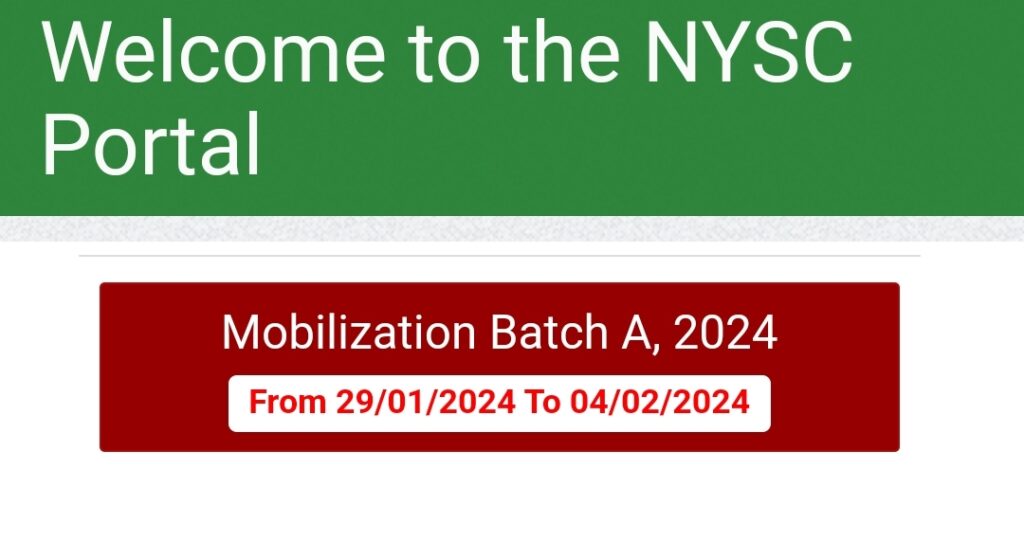
1. Visit the NYSC registration portal
Go to the official NYSC registration portal and click on Mobilization. Choose Fresh Registration if you’re registering for the first time, or Revalidation if you didn’t go with your previous batch.
2. Create an account
Enter your email address, password, and security question. Use an email you can access easily because a confirmation link will be sent there.
3. Log in to your dashboard
After confirming your email, log in to begin your main registration.
4. Provide your identification details
Enter your NIN, JAMB registration number, school, and matriculation number. The system will fetch your details from the senate list and JAMB database. If the supplied input is not correct, you won’t be able to move past this stage.
5. Biometric and image capturing
This stage involves fingerprint registration and live photo capture through a webcam. Only accredited cafés have access to this stage, so avoid trying to register elsewhere.
6. Fill in your personal and academic details
Provide your biodata, contact addresses, next of kin, emergency contacts, and education history.
7. Enter kit measurements and other information
Select the states you’ve visited, languages you speak, and indicate your shirt, trouser, and shoe sizes. Then upload your digital signature.
8. Upload required documents
Depending on your category, you’ll be asked to upload specific documents for NYSC registration, such as marital documents for married females or academic credentials for foreign graduates.
9. Review and confirm your details
Go through every field carefully before clicking Submit. Once you submit, most fields cannot be edited again.
10. Make the required payment
After submission, log back in and make payment for your call-up or exclusion letter via Remita. Graduates exempted from service won’t get the payment option.
11. Expect your call-up number
Your call-up number is usually released a few days after registration. Sometimes, it might take longer, so be patient. Once available, log in to print your Green Card.
12. Wait for your call-up letter
When posting begins, return to your dashboard to print your call-up letter, which shows your state of deployment and the date to report to camp.
These are the core requirements for NYSC online registration that every PCM must meet before submission. Missing or incorrect details may delay your deployment.
📌 Bonus: Message on Whatsapp to process your medical fitness certificate. It is a compulsory requirement for camp registration.
How Much Is NYSC Registration
There’s no fixed price for NYSC registration across the country. What NYSC set was a ₦3,000 benchmark as the official service charge for accredited cyber cafés which is clearly listed on the NYSC CBO guidelines page.
But in reality, every café has its own operating cost. Some spend more on rent, fuel, or internet and that affects what they charge. So while the base price is ₦3,000, most PCMs end up paying between ₦7,000 and ₦10,000 for the full registration. That amount usually covers both the café service and the Remita payment for call-up letter printing.
If you notice a café charging outrageously high NYSC registration fee, you can report them directly on the NYSC mobile app.
Why Early Registration Helps
Registering early saves you from the rush, server downtime, and overcrowded cafes that come later in the process. It also increases your chances of receiving your call-up number on time, which gives you room to prepare for travel and camp essentials without feeling pressured.
Early preparation also helps you confirm all the documents required for NYSC online registration before the rush begins.
Remita Payment During NYSC Online Registration
After submitting your form on the NYSC registration portal, the next step is to make payment for your call-up letter. This payment is done through Remita, the official payment platform approved by NYSC.
When you log in to your dashboard, you’ll see a “Make Payment” option. Clicking on it redirects you to the Remita portal where you can choose how to pay, either online with your ATM card, through internet banking, or by generating a Remita Retrieval Reference (RRR) to pay at any commercial bank.
The amount payable on the NYSC portal is approximately ₦3,000, which covers call-up letter printing and related processing costs. If you don’t make this payment, NYSC will not generate your call-up number.
After a successful transaction, you’ll be redirected automatically to your dashboard where your payment status will reflect as PAID. You can then proceed to print your Green Card once it the call-up number becomes available.
How to Confirm Payment Status on NYSC Portal
Sometimes, payments made through Remita doesn’t reflect immediately on your NYSC dashboard. Here’s how to check and confirm your payment status:
- Visit the payment status portal
- Enter your registered email address used during registration.
- Under the “Status” column:
- If you see “Success (Used)”, it means your payment went through successfully.
- But if you see “Pending (Not Used)”, click on “Get Status” under the “Remita Status” column to update it.
- If it still doesn’t change to “Success (Approved)”, contact the cyber operator who made the payment for you.
Alternatively, you can log in to your dashboard and try making the payment again.

NYSC Online Registration Problems and How to Fix Them
Even with a smooth process, some errors can still pop up during NYSC registration. Here’s how to spot and fix the common ones quickly before they delay your mobilization.
Portal Not Loading During Registration
This happens often when too many PCMs try to register at the same time. There’s no need to panic. Try these steps instead:
- Keep refreshing the page and wait a bit while it loads.
- Switch browsers. Chrome or Firefox usually work best.
- Ask the café operator to check their internet speed. A weak connection often causes timeouts.
- Try again during off-peak hours; early mornings or late evenings when the server load is lighter.
- If the portal still won’t load, contact NYSC support on these numbers:
- 👉🏽 South East – 08092142614
- 👉🏽 South South – 08102790538
- 👉🏽 North Central – 08092142661
- 👉🏽 South West – 09038034460
- 👉🏽 North West – 08092142616
- 👉🏽 North East – 07018836388
Prevention Tip: Register early in the mobilization window to avoid the heavy rush that slows the portal down.
No Record Found on Senate List
If the portal says “No record found,” it usually means your school hasn’t uploaded your name yet or there’s a mismatch in the data. Here’s what to do:
- Double-check your matriculation number. Even an extra space or letter can trigger the error.
- Confirm with your school’s mobilization or records office that your name is truly on the senate list.
- Ask if your school has submitted the hard copy of the senate list to NYSC headquarters because it’s required for upload verification.
- If you’re sure your name is on the senate list portal, just keep checking until registration for your
Prevention Tip: Always confirm your name on the NYSC senate list before registration begins — don’t assume your school uploaded it.
NIN Provided Does Not Exist on NIMC
This error means the NIN you entered can’t be found in the NIMC database. To fix it:
- Recheck your NIN digits. One wrong number is enough to cause the issue.
- Make sure you’re using your own NIN. The name on your senate list should match your NIN details.
- If your NIN record is missing or outdated, visit any NIMC office to update or correct it.
- Confirm through the NIMC or Immigration website that your NIN is active and verified.
Prevention Tip: Verify your NIN status with NIMC before registration week, especially if you enrolled years ago.
Biometric or Image Capturing Failed
This error happens when the scanner, webcam, or NYSC portal malfunctions. Here’s how to handle it:
- Ask the café operator to retake your fingerprints. Clean fingers and proper placement help a lot.
- Make sure the background for your photo is white or off-white, with both ears clearly visible. Stick paper behind if needed.
- If the scanner is old or faulty, move to another accredited café with better equipment.
- If it still fails, it could be a temporary NYSC server issue so be patient and try again later.
Prevention Tip: Verify that the café has a functioning fingerprint scanner and webcam before you begin the NYSC online registration.
Name or Date of Birth Error
Typos or wrong dates can cause serious issues later. If you notice any, fix them quickly:
- For minor name errors (like a missing letter), apply for correction on your NYSC dashboard and wait for approval.
- For major name errors, contact your school’s Students Affairs Officer to request correction.
- To correct your date of birth, use the WAEC verification PIN on your dashboard. Note that approval isn’t always guaranteed.
Prevention Tip: Before registration, review the names dates of birth on your documents to avoid surprises.
Course Correction After NYSC Online Registration
If your course of study appears wrong on the portal, it’s usually due to a school error. Here’s what to do:
- Apply for course correction directly on your NYSC dashboard.
- Inform your Students Affairs Officer to approve the request from their end.
- Once approved, it usually takes less than 30 minutes to reflect.
Prevention Tip: Confirm your course of study on the senate list before you start registration. That is what NYSC uses.
How to Revalidate During NYSC Online Registration
Revalidation simply means reactivating your NYSC registration if you were deployed in a previous batch but didn’t report to camp. It helps NYSC confirm that you still want to serve and reassigns you to a new batch without starting registration all over again.
NYSC revalidation applies only to those who completed registration before, got a call-up letter, but didn’t show up in camp. It doesn’t apply to those who never registered at all.
Steps to Revalidate on the NYSC Portal:
- Visit portal.nysc.org.ng.
- Click “Mobilization” then select “Revalidation” instead of Fresh Registration.
- Log in using your previous email and password.
- That’s it. Your previous call-up number will be cleared from your dashboard
You’ll get a new call-up letter once the deployment for that batch begins.
➡️ Read this complete guide on the NYSC revalidation process for detailed explanation.
What Next After NYSC Registration?
Once your registration is complete, the next step is to prepare for camp. But a few things happen in between. Here’s a quick look at what to expect and what to do at each stage.
Awaiting Call-Up Number
After registration, your call-up number might not appear immediately on your dashboard. NYSC usually releases them in batches, sometimes a few days or even a week after registration closes. If yours delays, it simply means you’ve been shifted to the next stream.
Read more in this guide on how NYSC call-up numbers are released and what to do if yours doesn’t show up.
Knowing when the next NYSC registration starts helps you plan better, especially if you missed the first stream. NYSC usually announces new registration dates on its social media pages.
Processing of Direct Posting
If there’s a particular state you’d prefer to serve in, this is the stage where you can try to influence your posting. The process is known as direct posting. It’s basically how people pull the right strings to end up in their preferred state. See how NYSC direct posting works in this detailed guide.
Printing of Green Card and the Addendum
Once your call-up number appears, your Green Card and Addendum Slip will be ready for printing on your NYSC dashboard. The green card confirms your registration and is compulsory for camp entry, along with the addendum.
Learn how to print your NYSC Green Card and Addendum correctly to avoid issues at camp.
Camp Packing Checklist
Now’s the time to start getting your NYSC camp items ready. You’ll need both essentials like white wears, toiletries, and mosquito net, and personal comfort items like waist pouch and padlock. Preparing early helps you avoid last-minute stress.
Check out this complete NYSC camp packing list for everything you’ll need.
👉 Exclusive: Want to look dope for 2026 Batch A, Stream 2? Message Fola NYSC Camp Kit for a quality and affordable package.
Call-Up Letter Printing
Your call-up letter tells you where NYSC has posted you for service. It’s usually released a few days before camp opens. Print it in color and make extra copies because you’ll need them during documentation in camp.
Here’s how to print your NYSC call-up letter and understand your posting details.
Checking Your NYSC Dashboard for Updates
Keep checking your NYSC dashboard regularly after registration. NYSC sometimes updates certain details silently, like correction approvals, upload sections for married women, or changes to state code. Staying alert helps you fix small issues early.
📌 Joining this NYSC WhatsApp Channel will come handy.
NYSC Online Registration FAQs
Here are answers to some of the most common questions prospective corps members ask during online registration.
When will NYSC online registration start?
NYSC registration dates vary for each batch and stream. The best way to stay updated is to check the latest NYSC registration timetable or join the NYSC group by Local Man.
Can someone register for NYSC twice?
No. Once you’ve registered and have a call-up number, you cannot register again. If you didn’t go to camp with your previous batch, you’ll simply do a revalidation, not fresh registration.
How do I correct my name or date of birth after registration?
Corrections can be done directly from your NYSC dashboard. For date of birth, you’ll need a WAEC verification PIN. For names, there’s a separate section where you can apply for correction and wait for NYSC approval.
Is it compulsory to pay for the call-up letter?
Yes, if you want to print it from your dashboard. The ₦3,000 payment through Remita covers the online printing of your call-up letter and Green Card.
Can I use another person’s fingerprint?
Never. NYSC uses biometric verification to prevent impersonation. If your fingerprint doesn’t match during verification, you won’t be cleared for camp.
Why does the portal show “No record found” for my matric number?
That message means your school hasn’t uploaded your details to the senate list yet, or your matric number was entered incorrectly. Always confirm with your school before registration.
How can I check my NYSC registration status?
You can check your status on the NYSC Senate List portal using your matric number and date of birth. If your record appears there, you’re eligible to register once the portal opens. To confirm if your registration is successful, log in to your dashboard.
What is the difference between revalidation and remobilization?
Revalidation is for graduates who registered before but didn’t go to camp. Remobilization is for corps members who went to camp but didn’t complete their service year.
Can foreign graduates register from abroad?
Even though they can start their registration online, they must visit an accredited cyber cafe for biometrics and photo capturing. They must also be available for the physical verification of credentials.
Is NYSC registration open on weekends?
Yes, the NYSC portal is open 24/7 while registration lasts, although most accredited cafés only operate during the day.
Final Tips to Avoid Hitches Later
Before wrapping up your NYSC online registration, here are a few things that can save you from unnecessary stress later on:
Double-check your application before submission
Take your time to review every detail and the uploaded documents. Once you hit Submit, you can’t edit most information again without going through a long correction process.
Do not register if the details on Senate list are incorrect
If your name or date of graduation is wrong on the NYSC senate list, hold off on registration. Go back to your school’s Student Affairs Office to fix it first. Registering with the wrong details may delay your mobilization.
Wear decent clothing for image capturing
Your passport photo will be placed on your dashboard. It will also appear on your green card and call-up letter. Dress modestly and avoid armless tops.
Keep your login details safe
Your NYSC dashboard holds your personal information, so keep your login details safe. Don’t forget your security question because you’ll need it if you ever reset your password.
It’s also wise not to use your regular password for NYSC registration. At some point, you might have to share your login details with someone for direct posting assistance and that could expose more than you intend. Using a unique password keeps your other accounts and data secure.
Related Guides You Should Explore
If you’re still getting familiar with the NYSC process, these related guides will help you understand other important parts of mobilization.
- How to check the NYSC Senate List
- Importance of the NYSC Green Card
- How to print the NYSC Addendum
- Role of the Graduation List in NYSC Mobilization
- When does NYSC registration start and how to prepare ahead?
Having questions or contributions? Drop them in the comments below.
People are also reading:
How to Avoid NYSC Scammers: A Guide for Prospective Corps Members
What You Should Know About NYSC Batches and Streams